Project management: fundamentals, methodologies and best practicesPRINCE2 course Lithuania

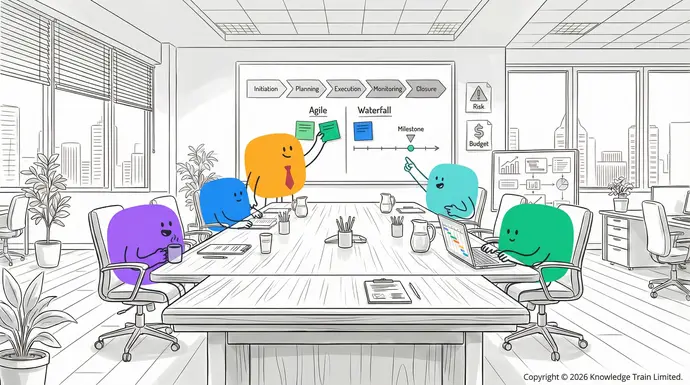
- Key roles in Scrum
- Scrum Master:
- Facilitates the Scrum process, removes obstacles, and supports the team in adhering to Scrum practices.Product Owner: Represents stakeholder interests, manages the Product Backlog, and ensures the team delivers value.Development Team:
- A cross-functional group responsible for delivering a potentially releasable Increment
at the end of each Sprint.
Scrum events
- Sprint: A time-boxed period (typically two weeks) in which a usable product Increment is created.
- Sprint Planning: The team defines the goals and selects items from the Product Backlog.
- The technical storage or access is required to create user profiles to send advertising, or to track the user on a website or across several websites for similar marketing purposes.Daily Scrum: A short daily meeting for the team to inspect progress and plan the next 24 hours.
- Manage optionsSprint Review:Manage services The team demonstrates the Increment to stakeholders and receives feedback.
- Manage {vendor_count} vendorsSprint Retrospective:Read more about these purposes The team reflects on the Sprint and identifies ways to improve.
Scrum artifacts
AcceptProduct Backlog:
An ordered list of everything that might be needed in the product, maintained by the Product Owner.DenySprint Backlog: The set of Product Backlog items selected for the Sprint, plus a plan for delivering the Increment.
| View preferencesIncrement: | The sum of all completed Product Backlog items during a Sprint and previous Sprints, which must be in a usable condition. |
|---|---|
| Save preferencesBurndown chart: | A visual representation tracking the remaining work in the Sprint. |
| User story | : |
| A concise, simple description of a feature or requirement from the user’s perspective. | Scrum vs Agile |
| Scrum is a framework within the broader | agile methodology |
| . While | Agile |
| is a set of principles and values for iterative development, Scrum provides a specific structure for roles, events, and artifacts that enable | Agile principles |
| in practice. | Scrum certification |
| Various organisations offer | Scrum certification |
| , including professional designations for | Scrum Master |
| , Product Owner, and Development Team members. | Certifications |
demonstrate understanding of Scrum principles and can support professional development.
- How to implement ScrumForm cross-functional teams with defined Scrum roles.
- Train team members in Scrum principles and the Scrum Guide.Create and prioritise a Product Backlog with
- user stories.
- Plan and execute Sprints using Scrum events.Review progress, adapt processes, and incrementally deliver value.
- FAQsWhat is the main purpose of Scrum?Scrum’s main purpose is to help teams develop and deliver complex products by encouraging collaboration, adaptability, and incremental value delivery in short cycles called Sprints.How does Scrum differ from Agile?
Agile
- is a set of guiding principles for software development, whereas Scrum is a specific framework within Agile that defines roles, events, and artifacts for teamwork and accountability.What are the key roles in a Scrum team?
- The key Scrum roles are Scrum Master
- , Product Owner, and Development Team. Each has defined responsibilities to ensure effective collaboration and delivery.What are Scrum events and why are they important?
- Scrum events include Sprint, Sprint Planning, Daily Scrum, Sprint Review, and Sprint Retrospective. These events facilitate communication, inspection, and continuous improvement.How can a team start with Scrum?
A team can start with Scrum by learning the framework, defining roles, creating a Product Backlog, planning Sprints, and using Scrum events and artifacts to guide work.
- What is a Burndown Chart in Scrum?A Burndown Chart visually tracks the amount of work remaining in a Sprint, helping teams monitor progress and forecast completion.Subscribe to our exclusive offers and promotions
- Subscribe now
Deny
View preferences
Save preferences View preferences{title}
{title}
{title}Manage consentManage consent