Project management tools in 2025

Key takeaways
Pick tools based on how your team works today, and how it needs to work tomorrow.
- Match core features to your workflow, including tasks, scheduling, resource allocation, reporting, and budgeting.
- Choose cloud or on-premise based on security, compliance, cost, and the need for offline access.
- Prioritise usability and integrations so the tool fits your existing stack and gets adopted quickly.
- Plan implementation with a pilot, clean data migration, role-based training, and phased rollout for scale.
- Track ROI using adoption, time saved, on-time delivery, resource utilisation, and client satisfaction.
- Expect more AI, automation, analytics, and remote-first collaboration features in 2025 tools.
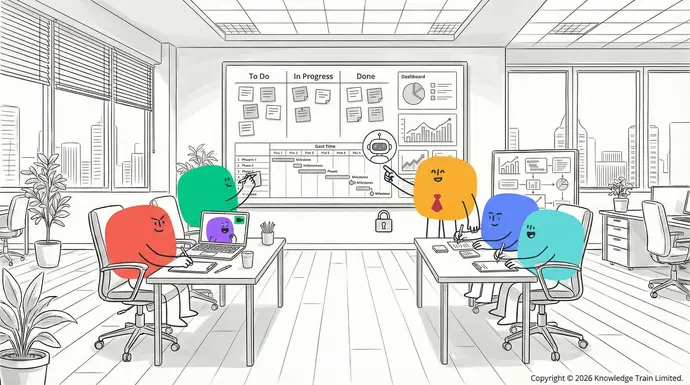
has become an integral part of any modern business setting. These tools offer a centralised platform for teams to plan, organise, and track their work more effectively. The landscape of project management is constantly evolving, especially as workforces continue to grow more complex and remote teams become increasingly prevalent.
Efficient project management tools offer the following benefits:
- Streamlined collaboration and communication
- Better task tracking and deadline management
- Resource allocation
Top project management tools for 2025
Here, we’ve researched dozens of project management tools and put together lists that can fit virtually any team size, budget, or industry. These tools are organised in terms of price points from free to enterprise to give you a good idea of what features and benefits you can expect from each tool. Let’s dive in and find the right project management tool for your team!
Free tools
Trello
Trello is a visual project management software that employs a Kanban-style board view with cards that you can move as you work on a project. It is an extremely easy-to-use and simple app that is great for small teams and individuals.
Features
- Customisable boards and cards
- Basic automation rules with Butler
- File attachments and comments
- Integrations with popular apps and services.
Pros
- Easy to get started and use
- Quick to set up and start tracking work
- Visually appealing and clean design
- Generous free plan with unlimited boards and users.
Cons
- Reporting is not very robust
- Can get messy with more complex projects
- Advanced features require paid plans.
Asana
Asana is a highly versatile task and project management tool that provides features useful to teams of all sizes and skill levels. The free version offers many of the main features to help track projects and tasks.
Features
- Multiple views for projects (list, board, and timeline)
- Dependencies and subtasks for advanced task management
- Basic reporting and dashboards
- Team collaboration and communication tools
- Mobile apps for iOS and Android.
Pros
- Easy-to-use interface with customisable workflows
- Robust free plan for up to 15 team members
- Extensive integration options with other tools and services.
Cons
- Advanced features have a learning curve
- Some features not available in the free version
- Some users may find the interface busy or cluttered.
ClickUp
ClickUp is a full-featured project management software that is not lacking in its free plan. It offers a lot of functionality and works with various project management methodologies .
Features
- Multiple view options (list, board, Gantt, calendar, and more)
- Custom fields and statuses
- Time tracking and workload management
- Docs and wikis for knowledge sharing
- Advanced automation capabilities.
Pros
- Very feature-rich for the free version
- Highly customisable to fit your workflow
- Regular updates and new feature releases.
Cons
- Can be confusing and complex for new users
- Some features may seem redundant or unnecessary
- Performance issues can occur with very large projects.
Wrike
Wrike is a flexible project management software that is a great option for small teams with its solid free plan and balance of features between simplicity and more advanced functionality.
Features
- Interactive Gantt charts
- Custom workflows and request forms
- Task and subtask management
- File sharing and team collaboration tools
- Basic reporting features.
Pros
- Clean and intuitive user interface
Smartsheet
Smartsheet is a collaborative work platform that is designed to look and function like a spreadsheet. It is a popular choice for teams that are already familiar with spreadsheet software.
Key features
- Spreadsheet-like interface with project management features
- Gantt charts and critical path analysis
- Resource management and capacity planning
- Automated workflows and approvals
- Reporting and dashboards.
Pros
- Familiar interface for users already comfortable with spreadsheets
- Scalable for complex, enterprise-level projects
- Strong data analysis and reporting capabilities.
Cons
- Steeper learning curve for users who are not familiar with spreadsheets
- Can be overwhelming due to its many features
- Higher price point compared to some competitors.
Pricing
- Plans start at $7 per user per month (annual billing)
Celoxis
Celoxis is a project management platform that is designed for mid-sized to large businesses. It offers a comprehensive set of features for project and portfolio management and can be deployed either as a cloud-based or on-premises solution.
Key features
- Resource management and capacity planning
- Financial management and budgeting
- Custom fields and workflows
- Interactive Gantt charts
- Client portal for stakeholder collaboration.
Pros
- All-in-one solution for project and portfolio management
- Strong financial tracking and forecasting features
- Customisable to fit a variety of industries. Request a quote
Cons
- Interface may feel dated compared to more modern platforms
- Can be complex and overwhelming for small teams or simple projects[email protected]
- Higher price point than some competitors.
Pricing +44 (0)207 148 5985
- Plans start at $22.50 per user per month (annual billing).Courses
Zoho projectsPROJECT MANAGEMENT
Zoho ProjectsPRINCE2 is a project management platform that is part of the larger Zoho suite of business tools. It is a cost-effective solution for small to medium-sized teams and offers a good balance of features and affordability.®
Key featuresFoundation
- Gantt charts and critical path analysisLearn the fundamentals of the PRINCE2 method.
- Time tracking and invoicing integrationPractitioner
- Issue and bug trackingIncludes Foundation & Practitioner combined option.
- Document management and collaborationAssociation for Project Management (APM)
- Integration with other Zoho apps.Project Fundamentals Qualification (PFQ)
user experience of the tool. A tool with a steep learning curve or unintuitive interface can hinder productivity and adoption. Look for tools that have:
- Intuitive navigation and layout
- Clear and visually appealing design
- Adequate tutorials and onboarding resourcesEXPLORE SUBJECTS
- Customisation options to fit your team’s preferences.Select your preferred subject.
Remember, the most feature-packed tool isn’t always the best choice if it’s difficult for your team to use.
Collaboration featuresPROJECT MANAGEMENT QUALIFICATIONS & WORKSHOPS
Effective Select your preferred qualification or workshop.team collaboration is at the core of successful PRINCE2 COURSESproject managementSelect your preferred training course below:. Look for tools that offer robust collaboration features, such as:
- Real-time communication (comments, @mentions)APM COURSES
- File sharing and version controlSelect your preferred training course below:
- Task assignment and delegation
- Shared calendars and schedulesAGILE PROJECT MANAGEMENT COURSES
- CRM and marketing automation platforms.
The more integrated your project management tool is with your existing tech stack, the smoother your workflows will be.P3O COURSES
Scalability and flexibilitySelect your preferred training course below:
As your team and projectsWORKSHOPS grow, your project management needs may change. Look for tools that can scale with your organisation, such as:Select your preferred workshop below:
- Can handle increasing users and projects
- Flexible pricing models that can grow with your teamAGILE QUALIFICATIONS
- Customisable workflows and project templatesSelect your preferred qualification.
- Support for multiple departments or clients
- Advanced features that can be unlocked as needed.AGILE PROJECT MANAGEMENT COURSES
A scalable solution will save you from the headache of migrating to a new system down the line.Select your preferred training course below:
Security and data privacy
Protecting sensitive project information is essential. Evaluate the security features of potential tools, such as:PRINCE2 AGILE COURSES
- Data encryption in transit and at restSelect your preferred training course below:
- Compliance with industry standards ( GDPRSCRUM COURSES, HIPAA)Select your preferred training course below:
- User authentication and access control
- Regular security audits and updatesAGILE BUSINESS ANALYSIS COURSES
- Data backup and recovery options.Select your preferred training course below:
Make sure the tool you choose aligns with your organisation’s security requirements and any applicable regulations.
Evaluating free trials and demosBUSINESS ANALYSIS QUALIFICATIONS
Many project management tools offer free trials or demos. Use these to see the software in action:Select your preferred qualification.
- Create a sample project that resembles your workflow
- Invite team members to use the trial and get their feedbackBCS BUSINESS ANALYSIS COURSES
- Experiment with essential features and integrationsSelect your preferred training course below:
- Test the responsiveness of customer support
- Experience the tool’s user interface on various devices (desktop, mobile, tablet).AGILE BUSINESS ANALYSIS COURSES
A trial period will allow you to explore a tool’s capabilities first-hand.Select your preferred training course below:
Considering budget and pricing models
Project management software can have different pricing models. Keep these factors in mind:CHANGE MANAGEMENT QUALIFICATIONS
- Per-user pricing or flat-rate plansSelect your preferred qualification.
- Monthly vs. annual billing (annual plans often offer a discount)
- Freemium plans with basic features available for freeAPMG CHANGE MANAGEMENT COURSES
- Enterprise pricing for large organisationsSelect your preferred training course below:
- Additional charges for add-ons or premium features.
Budget for both your current needs and potential future growth. Refer to this table for a general pricing guide:PROGRAMME MANAGEMENT QUALIFICATIONS
| TierSelect your preferred qualification. | Typical Price Range | Suitable ForMSP COURSES |
| FreeSelect your preferred training course below: | $0 | Small teams, basic projectsPMI COURSES |
| BasicSelect your preferred training course below: | $5-$15 per user/month | Growing teams, more complex projectsPMI COURSES |
| ProfessionalSelect your preferred training course below: | $15-$30 per user/month | Mid-size teams, advanced featuresPRINCE2 COURSES |
| EnterpriseSelect your preferred training course below: | $30+ per user/month | Large organisations, custom solutionsAPM COURSES |
However, the most expensive option may not always be the most expensive in the long run, especially if the tool significantly increases productivity or saves time.Select your preferred training course below:
In summary, when selecting a project management tool, take the time to understand your team’s needs, evaluate the key features offered, consider integration options, assess scalability and security, and of course, compare pricing. Remember, the lowest cost tool is not necessarily the best value for your investment. Don’t hesitate to use free trials and test the tool with your team before deciding. By carefully considering these factors, you can find a project management tool that will enhance your team’s efficiency and contribute to the success of your projects.
Implementing project management softwareSCRUM COURSES
After you have chosen the perfect tool for your team, it’s time to get down to business. How you approach the task of implementation will play a large role in your software’s success. Here are some of the steps and best practices for project management software adoption.Select your preferred training course below:
Steps for successful adoption
- Create an implementation teamLEAN SIX SIGMA COURSES: Put together a group of people to manage and drive the rollout. Ensure that the group is cross-functional with representation from the different departments.Select your preferred training course below:
- Develop a rollout plan: Create a detailed timeline that will walk you through the implementation process. Be sure to specify major milestones and due dates and consider a phased rollout for larger organisations.
hybrid workCONTACT US will become obsolete as remote work becomes more of a norm:
- Virtual workspaces : Video conferencing features that integrate with digital whiteboards for online brainstorming and meetings.
- Asynchronous communication : Improvements to asynchronous communication features like leaving voice or video notes and contextual comments.
- Time zone managementName: Better tools for understanding and scheduling across various time zones.
- Virtual team building : Gamification features and team building activities in virtual environments.Email
The changing work environment and the move to distributed work will continue to be a driving force behind some of the key features and priorities for project management software. Project managers that stay informed on these trends will be better positioned to expect what’s next and prepare their teams to take advantage of new functionality and technology.Phone
Case studies and success stories
Learning from real-world examples of successful project management software implementations can offer valuable insights and inspiration. This section showcases case studies from different scales of businesses and industries, detailing the challenges they faced, the solutions they implemented, and the results they achieved.
Small business implementationHow can we help?
Case Study: Green Leaf Landscaping
Green Leaf Landscaping is a small landscaping business with 15 employees. The company faced challenges with managing multiple projects simultaneously and often missed deadlines and struggled to allocate resources efficiently.
ChallengeSubmit
Manual methods of tracking projects led to miscommunication and inefficient resource allocation.
Solution
Adopted OUR VALUESTrelloOur 6 core values are everything we do. They include:
Change management challengesHow do I choose the right project management tool for my team?
Choosing the right project management software for your team starts with assessing your team’s needs. Consider features, look for user-friendly interfaces, and take advantage of free trials to test different tools before committing to one.
Can project management software help with remote work?Change management and business functions
Yes. Most of the modern project management tools offer features specifically for remote collaboration, such as real-time updates, video meeting integrations, and cloud-based file sharing.
What are the key features to look for in project management software?Change management best practices
Task management, team collaboration, time tracking, reporting, and integration capabilities with other tools you use are among the top important project management software features you should look for.
How much does project management software typically cost?Related concepts in change management
The average price range for project management software is from free to about $30+ per user per month, but the most enterprise solutions can be even more expensive. Most of the tools offer tiered pricing depending on the available features and team size.
Is it worth paying for premium features in project management tools?FAQs
Premium features are worth the investment if they meet your team’s specific needs and can lead to significant productivity gains. Evaluate the cost against the potential return on investment before upgrading.What is change management?
Can I use multiple project management tools together?Change management
You can use more than one project management software at the same time. Many project managers use different tools for specific purposes. It is possible but might cause data silos and should be managed effectively. refers to the systematic process of planning, implementing, and overseeing organisational changes to achieve desired business outcomes.
How long does it take to implement new project management software?Change management encompasses strategies, techniques, and tools that help organisations prepare for, execute, and sustain change, whether related to processes, technologies, culture, or organisational structure.
The time it takes to implement new project management software usually ranges from 2-8 weeks, depending on the complexity of the chosen tool and the size of your organisation.Effective change management seeks to minimise disruption, address resistance to change, and strengthen engagement among all
What are the benefits of using AI-powered project management tools?stakeholders
AI-powered project management software often includes features like automation of routine tasks, predictive analytics, and data-driven insights. They can also provide intelligent recommendations for optimal resource allocation and .risk managementImportance of change management.Organisational change is inevitable as businesses adapt to evolving markets, technologies, and regulations. By using structured frameworks and engaging leadership, organisations can minimise risks, foster innovation, and achieve sustainable success.
How often should I reassess my project management software needs?Effective
It’s a good practice to reassess your needs when introducing a new team member and/or when launching a new project. Otherwise, once per year would be a good review frequency.change management