How to create an effective project plan

Key takeaways
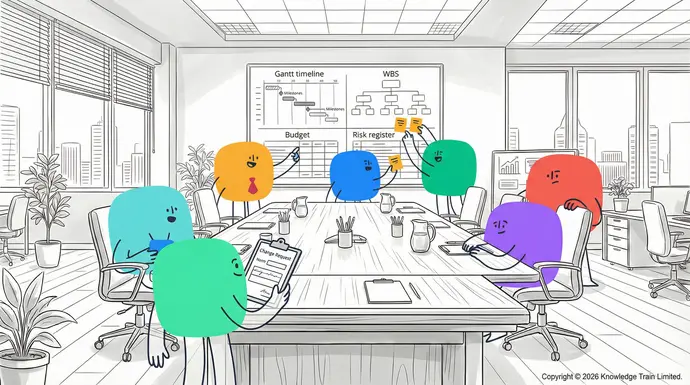
An effective project plan aligns scope, time, cost, resources, and communication into one workable roadmap.
If you don’t have any IT experience, don’t fret! Often some basic knowledge of SQL is all you’ll be required to have, as systems analysis is a closely related, but otherwise entirely distinct discipline that you won’t have to worry about as a Business analyst.
- Project initiation‘Soft skills’ vs. ‘hard skills’: This is where you first identify a business need or problem, then offer a potential solution. Key activities here include:Recruiters will generally look for work experience or an education that may have imparted desirable skills. Any experience you may have had as a manager or team-leader will be especially desirable. Soft skills you may want to highlight in your CV include:
- Preparing a project charterAttention to detail.
- Identifying project stakeholdersCommunication.
- Conducting feasibility studies and research.Interpersonal skills.
- Project planningLeadership.: This is the second phase and an extremely important one. We will be discussing this in more detail below.Organisation.
- Project executionProblem-solving.: This phase sees your team begin to execute the project plan. This involves:Teamwork.
- Allocating and managing resourcesTime-management.
- Focus on the most important information
- Customise content to your audience.
Step 2: Define the project scopeHarnessing the power of SWOT analysis for effective strategies
Defining a clear project scope is crucial for successful project execution. It sets the boundaries for what needs to be done and prevents scope creep (expansion of the project after its start).
Setting project boundariesSimon Buehring
- Define project constraints (time, budget, resources)19 Feb 2026
- Clearly state what is and is not part of the project
- Outline any assumptions and dependencies.Discover how SWOT analysis can enhance your strategic planning. This guide provides valuable insights and techniques. Scroll down to refine your approach to assessing strengths and opportunities today.
- List potential risks and obstacles
- Provide a high-level overview of how to mitigate them.Unlocking potential with SMART goals in goal setting
Step 3: Structure your project
Organising your project helps ensure that everything is in the right place and in the right order.Simon Buehring
Choosing a framework19 Feb 2026
- Select an appropriate project management framework ( WaterfallExplore the power of SMART goals to boost productivity and success. This comprehensive guide offers practical advice and tips. Scroll down to start transforming your goal-setting process today., Agile , hybrid, etc.)
- Make sure the framework aligns with the project’s needs and the team.
Organising workflows and deliverables
- Divide the project into phases or sprints
- Build a WBS
- Identify task dependencies and relationships.Discover CATWOE and transform your approach to problem-solving
Establishing communication structures
- List key stakeholders and their specific communication needsSimon Buehring
- Decide on communication channels and frequency19 Feb 2026
- Set reporting structures and escalation procedures.
Step 4: Check available project resourcesDiscover how CATWOE can transform your problem-solving approach. Learn its components and see real-world applications. Scroll down to enhance your decision-making skills.
Checking available resources involves assessing the skills, tools, materials, and budget necessary for project completion.
Assessing team skills and capacity
- Evaluate the skills and expertise of available team members
- Identify any skill gaps that need to be filled, or training provided
- Consider the current workload and capacity of the team.
Evaluating budget and technology needs
- Determine the available budget and potential sources of funding
- Identify the software, tools, and technology requirements for the projectBusiness analyst certification: What it is and how to get certified
- Assess the need for any additional licenses or subscriptions.
Identifying physical resource requirementsSimon Buehring
- List the equipment, materials, and resources needed for the project30 Apr 2026
- Determine the workspace or facility requirements
- Consider any specialised resources or facilities required.Discover the essentials of business analyst certification, from leading qualification types to preparation, costs, and career benefits. Start your path to professional recognition and new business analysis opportunities.
Step 5: Map out your project timeline
Mapping out a project timeline involves creating a schedule that outlines when tasks should be completed, and milestones achieved.
Creating a project schedule
Project planning tools and templates
Essential project planning tools
Project planning is an important step to successfully managing any project and having the right tools to help make this process simpler, more streamlined and more collaborative is critical. Here are the best project planning tools that will surely give you a hand in your project management endeavours.
Project management software optionsWhat is a business analyst?
Project management software is a digital platform that serves as a one-stop shop for planning, executing, and tracking Simon Buehringprojects19 Feb 2026. Some of the most popular project management software options include:
- Microsoft ProjectDiscover what a business analyst does and how they are pivotal in achieving company goals. Learn more about the role's importance here.: A comprehensive project planning and resource management tool with robust features for scheduling and tracking project progress
- Trello : A visual, card-based task management platform that is great for team collaboration and keeping tasks organised
- Asana : A team collaboration and project management tool with features for task tracking, project timelines, and communication
- Jira : A popular Agile project managementYou want to become a business analyst? and software development tool with powerful features for sprint planning, issue tracking, and workflow automation.
When choosing a project management software, it’s important to consider your team’s needs, the complexity of your projects, and how well the software will integrate with your existing tools and systems.Simon Buehring
Gantt charts and timeline tools19 Feb 2026
Gantt charts are a popular tool for visualising project timelines and dependencies. Some of the best Gantt chart tools include:Discover different motivations for pursuing a career as a business analyst. Learn what drives BA professionals by reading more.
- TeamGantt : A user-friendly tool for creating and collaborating on Gantt charts, with features for task tracking, file sharing, and project management
- GanttPRO : A customisable Gantt chart software with features for resource management, task assignment, and team collaboration
- Smartsheet : A spreadsheet-like platform that combines the functionality of a project management tool with Gantt chart visualisation.
These tools make it easy for project managers to create clear and informative Gantt charts that show project timelines and milestones at a glance.
Resource management tools
Proper resource allocation and management is critical to any project’s success, so having a resource management tool can be an important part of project planning. Consider these options for managing your team’s resources:
- Resource Guru : A resource scheduling and team capacity planning tool that helps project managers avoid overallocation of team members
- Float : A resource planning and workload management tool with visual resource planning capabilities
- Forecast : A project and resource management tool with features for visual planning, team capacity management, and AI-powered insights.
By utilising these tools, you can optimise your resource utilisation and ensure that team members are not overallocated.
Useful project plan templates
There are many kinds of useful project plan templates to organise all the information you need. The ones we’ve highlighted in this list are the ones we’ve found to be the most beneficial to your project planning.
General project plan template
A general project plan template should include the following:Give us a call
- Project overview and objectives
- Scope and deliverables
- Timeline and milestones+44 (0)207 148 5985
- Resource allocation
- Budget and cost estimatesOr chat with us using the link at the bottom of the screen.
- Risk managementContact us with questions about the courses on this page, or about which project management certification or training is best for you..Finance FAQs
This type of template is a good all-round starting point for most ContactprojectsCookies.Privacy
Resource utilisation templateTerms
A Customer Supportresource utilisation template may include the following:[email protected]
- Allocated hours per task/project[email protected]
- Capacity and availability Copyright © 2005-2026 Knowledge Train Limited.
- Utilisation rates. Registered in UK: 5566983.
A resource utilisation template will prevent your team members from becoming overallocated and is the key to managing your team effectively. Registered VAT: GB872413526.
Project cost management template Knowledge Train
A project cost management template could include the following:®
- Cost categories (e.g. labour, materials, equipment) is a registered trademark of Knowledge Train Limited.
- Estimated and actual costs 20 Old Bailey, London, EC4M 7AN, England, United Kingdom.
- Budget variance analysis Knowledge Train are experts in project management, PRINCE2, agile and change management training and certification. Choose from a full range of instructor-led and self-paced
- Cost forecasting.project management courses
A project cost management template is the most effective way to stay on top of costs and keep your project within budget., a
Project timeline templatePRINCE2 course
A , or an project timeline templateagile project management course could include the following: to boost your career.
- Task names and durationPRINCE2
- Start and end dates®
- Dependencies, MSP
- Milestones and deadlines.®
Project timeline templates provide a quick snapshot to all team members for understanding what their tasks are and how they relate to the rest of the project and when the milestones and overall deadline are., ITIL
Program risk register template®
A , P3Oprogram risk register template® may include the following:, PRINCE2
- Risk descriptions®
- Probability and impact assessments Agile, RESILIA
- Mitigation strategies®
- Risk owners and status updates., and the Swirl logo are registered trademarks of the PeopleCert group. Used under licence from PeopleCert. All rights reserved. AgilePM
A risk register template is a great way to keep your projects under control from the risk perspective.®
With these key tools and templates, project managers will be able to plan better and will be more successful in project delivery. and AgileBA
Best practices for effective project planning®
Tips for creating successful project plans are registered trademarks of Agile Business Consortium Limited. All rights reserved. The APMG International AgilePM and Swirl Device logo, APMG International AgileBA and Swirl Device Logo, APMG International Change Management and APMG International Better Business Cases and Swirl Device logo are trademarks of The APM Group Limited, used under permission of The APM Group Limited. All rights reserved. Better Business Cases™ is a trademark of Her Majesty’s Treasury. All rights reserved. DevOps Foundation
To help your projects go more smoothly, I have compiled a list of best practices for effective project planning. These tips will help you create successful project plans and increase the likelihood of your projects succeeding.®
Involving stakeholders in the planning process is a registered mark of the DevOps Institute. “PMI”, “PMBOK
To make your project planning more effective, it is important to ®involve all the stakeholders Guide”, “PMP” and “CAPM” are registered marks of Project Management Institute, Inc. Knowledge Train Scrum Essentials™, Business Learning Library (BLL)™, Business Analysis Learning Library (BALL)™, Agile Learning Library (ALL)™, IT Learning Library (ITLL)™, and Compliance Learning Library (CLL)™ are trademarks of Knowledge Train Limited. All rights reserved. in the process. This includes not only the project team but also the customer, sponsors, and other interested parties.Knowledge Train Ltd is an Introducer Appointed Representative of NewDay Cards Ltd for the Newpay finance product provided by NewDay Ltd. NewDay Cards Ltd acts as a credit broker, not a lender. We will introduce you exclusively to Newpay finance products provided by NewDay Limited under this Introducer Appointed Representative arrangement. Finance available from other lenders is not covered by this arrangement. NewDay Ltd and Newday Cards Ltd are authorised and regulated by the Financial Conduct Authority (ref nos 690292 and 682417 respectively).
To involve stakeholders in the planning process, you can:
- Identify all the stakeholders at the beginning of the project
- Meet with each stakeholder to discuss their requirements and expectations
- Involve stakeholders in the planning meetings and decision-making
- Get stakeholder buy-in before starting the project.
Following these tips will help you create a project plan that meets the needs of all the stakeholders involved in the project.Search
Maintaining flexibility in your plan
Although it is important to have a detailed project plan, it is equally important to keep your plan flexible . The reason for this is that no matter how well you plan a project, there will always be unforeseen circumstances that arise.
To keep your plan flexible, you can:
- Build contingency time into your project schedule
- Use rolling wave planning techniques for long-term projects
- Be prepared to adjust your plan as the project progresses
- Explore Agile methodologiesRequest a quote for projects with evolving requirements.
Keeping your plan flexible will help you to deal with the unexpected without causing too much disruption to your project.
Regularly reviewing and updating the project plan
Your project plan is a living document that should be reviewed and updated on a regular basis. This is because as your project progresses, new information will come to light that may necessitate changes to the plan.
To review and update your project plan, you can:
- Schedule regular project plan review meetings
- Update the project plan to reflect changes in task progress or requirements
- Review the risk register and update risk mitigation plansManage Consent
- Update timelines and budgets considering actual progress.
Reviewing and updating your project plan on a regular basis will help to ensure that it always reflects the current state of the project.To provide the best experiences, we use technologies like cookies to store and/or access device information. Consenting to these technologies will allow us to process data such as browsing behavior or unique IDs on this site. Not consenting or withdrawing consent, may adversely affect certain features and functions.
Ensuring clear communication throughout the project
One of the most important aspects of project planning is clear communication with everyone involved in the project. This includes not only your project team but also the customer, sponsors, and other stakeholders.
- Create a communication plan at the start of the project
- Use visuals such as charts and diagrams to help communicate complex information
- Hold regular status meetings and provide status reports
- Utilise collaboration tools to enhance information sharing.Functional
Communicating clearly with everyone involved in the project will help to avoid misunderstandings and keep everyone on the same page.
Leveraging project management methodologies Always active
There are several
Save preferences
Review and update your project plan regularly, at least once a week or after major milestones. This helps ensure that the plan stays relevant and accurate.
Can I use the same project plan template for all my projects?View preferences
You can start with a standard template but be sure to customise it for each project’s specific needs and characteristics.{title}
What should I do if my project plan isn’t working?{title}
Revisit the plan and identify where things are going wrong. Adjust as needed and get input from stakeholders and team members on how to improve.{title}
How detailed should my project plan be?Manage Consent
A project plan should be detailed enough to guide the project execution without being so detailed that it becomes unmanageable. The level of detail will depend on the project’s complexity and size.
What’s the best way to share my project plan with stakeholders?To provide the best experiences, we use technologies like cookies to store and/or access device information. Consenting to these technologies will allow us to process data such as browsing behavior or unique IDs on this site. Not consenting or withdrawing consent, may adversely affect certain features and functions.
Use collaborative project management tools or shared documents to share your project plan. Visualise key information in an easily digestible format, such as Gantt charts or project dashboards.
How can I ensure my team follows the project plan?
Communicate the plan’s importance regularly, conduct progress check-ins, and use project management software to track tasks and deadlines.Functional
These are some of the most asked questions about writing a project plan. Remember that project planning is an iterative process and being flexible and communicative will help you stay on track and achieve project success.