Project management games: Best simulations and activities for teams

Key takeaways
Well-designed games make project trade-offs visible and turn experience into repeatable behaviours.
- Use project management games to practise decisions across scope, schedule, budget, risk, resources and stakeholders in a low-risk setting.
- Run simulations in short rounds with new constraints to show how local optimisation can create system-wide delays, rework and defects.
- Choose activities that match your goal, such as WBS for scope clarity, CPM for scheduling, or Scrum and Kanban for flow and iteration.
- Facilitation matters, so set clear rules, visible scoring, and capture assumptions, risks and change requests as the game runs.
- End with a structured debrief that links observations to real work and agrees a concrete follow-up action with an owner.
What is a project management game?
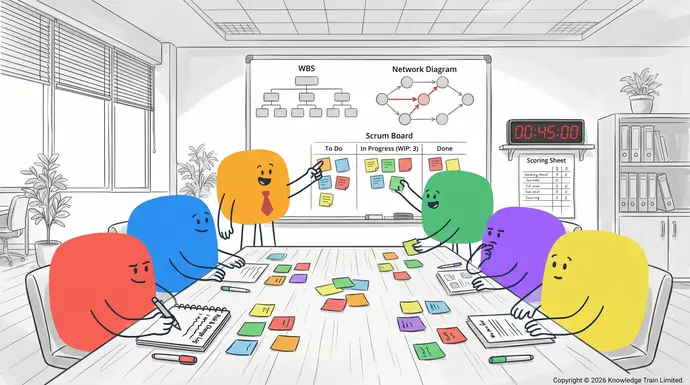
A project management game is a practical learning activity that uses gamification techniques (rules, goals, constraints, scoring and feedback) to teach project management behaviours. It can be a short classroom exercise, a workshop activity, or a longer project management simulation where participants run a project end to end and experience trade offs across scope management, schedule management, cost management (budget), risk management, stakeholder management and resource allocation.
When to use a project management game
- Training: introduce project management concepts or Agile delivery practices.
- Onboarding: help new starters understand governance, roles, and decision making.
- Workshops: align a team on ways of working, including Scrum ceremonies or Kanban flow.
- Classroom: provide engaging practice for students and early career professionals.
Best project management games (in-person and online)
The games below are designed as serious games: they are fun, but their main goal is skill development. Each example includes an objective, timebox, materials, and a debrief to turn activity into learning.
| Game | Duration | Group size | Modality | Materials or tools | Skills taught | Difficulty |
|---|---|---|---|---|---|---|
| Build a WBS and plan | 45 to 75 mins | 4 to 20 | In-person or remote | Sticky notes or digital whiteboard | Project planning, scope management, WBS, stakeholder alignment | Easy |
| Critical path race | 45 to 60 mins | 6 to 24 | In-person or remote | Activity cards, markers or spreadsheet | Schedule management, CPM, float, dependencies | Medium |
| Gantt chart trade-off challenge | 60 to 90 mins | 6 to 30 | In-person or remote | Template timeline (paper or tool) | Gantt chart basics, resource allocation, schedule compression | Medium |
| Risk poker and response planning | 40 to 70 mins | 5 to 25 | In-person or remote | Risk cards, probability/impact grid | Risk management, mitigation, contingency, escalation | Easy |
| Stakeholder mapping role-play | 45 to 75 mins | 6 to 30 | In-person or remote | Persona cards, power-interest grid | Stakeholder management, communication, negotiation | Easy |
| Scrum sprint simulation | 60 to 120 mins | 6 to 15 | In-person or remote | Backlog cards, timer, simple board | Agile, Scrum roles, planning, review, retrospective / debrief | Medium |
| Kanban flow and WIP limit game | 45 to 90 mins | 5 to 20 | In-person or remote | Kanban board, tokens for WIP | Kanban, throughput, bottlenecks, service levels | Medium |
| Budget versus scope negotiation | 45 to 75 mins | 6 to 24 | In-person or remote | Budget sheet, change request cards | Cost management (budget), scope management, change control | Medium |
Project management simulation games
A project management simulation typically runs in multiple rounds. Each round introduces new information, constraints and stakeholder demands. This format is useful for practising decision making under uncertainty and for showing how local optimisation (for example, pushing one team member to work faster) can create system level issues (rework, queues, defects, missed deadlines).
Simulation format you can reuse
- Round 1: baseline plan using a WBS and simple schedule.
- Round 2: add risks and change requests, then replan.
- Round 3: resource constraints and stakeholder conflict, then negotiate and reprioritise.
- Round 4: final delivery and structured retrospective / debrief.
Examples by objective
This section maps common learning objectives to 1 to 3 game formats so you can select an activity that matches your programme (training, onboarding, workshop, or classroom).
Scope management
- WBS build and refine: define deliverables, boundaries and assumptions.
- Change request market: teams price change requests against budget and schedule impact.
Schedule management
- Critical path race: calculate critical path method (CPM) and explore float.
- Gantt chart trade-off challenge: compare sequencing, parallel work and schedule compression.
Cost management (budget)
- Budget versus scope negotiation: manage constraints and trade offs.
- Resource allocation auction: allocate limited people time to highest value work.
Risk management
- Risk poker: prioritise by probability and impact; assign owners and responses.
- Risk burn-down round: spend limited mitigation points and measure residual risk.
Stakeholder management and communication
- Stakeholder mapping role-play: tailor communications by influence and interest.
- Steering group simulation: present status, respond to challenges and secure decisions.
Agile planning (Scrum and Kanban)
- Scrum sprint simulation: backlog refinement, sprint planning, review and retrospective / debrief.
- Kanban WIP limit game: improve flow, reduce bottlenecks and stabilise throughput.
How to facilitate a project management game
Facilitation quality determines whether a game creates lasting learning. Use clear rules, short rounds and a structured debrief. Where appropriate, connect observations to recognised practices in the PMBOK Guide and to Agile delivery concepts from Scrum and Kanban.
Facilitation checklist
- Define outcomes: choose 1 to 3 skills (for example, risk management and stakeholder management).
- Set constraints: time, budget, scope boundaries and roles.
- Run short rounds: 5 to 15 minutes per round with visible scoring.
- Capture decisions: keep a log of changes, risks and assumptions.
- Debrief: ask reflective questions and connect to day to day work.
Common pitfalls and fixes
- Pitfall: teams optimise for winning rather than learning. Fix: score learning behaviours (clear scope, explicit risks, stakeholder engagement) not only speed.
- Pitfall: rules are unclear. Fix: do one practice round and publish a one page rules sheet.
- Pitfall: no link back to real projects. Fix: end with a personal action plan and assign an owner for follow up.
Game playbooks (step by step)
1) Build a WBS and plan (scope and planning)
Summary: teams turn a vague objective into a deliverable based plan using a work breakdown structure (WBS), then test it with stakeholder questions.
When to use: onboarding, introductory project planning training, or a team building workshop focused on alignment.
- Timebox: 45 to 75 minutes
- Group size: 4 to 20
- Materials: sticky notes, markers, or a digital whiteboard; optional template for assumptions and exclusions
- Brief: provide a one paragraph project scenario and 5 stakeholder needs.
- Draft WBS: create level 1 deliverables, then decompose into level 2 and level 3 until work packages are clear.
- Define boundaries: add explicit in scope and out of scope notes to reduce ambiguity.
- Spot dependencies: link work packages that affect sequence and handoffs.
- Mini stakeholder review: facilitator plays stakeholders and asks clarifying questions.
Debrief questions:
- Which scope assumptions created the most risk?
- What would you change in the WBS to reduce rework?
- How would you communicate scope boundaries to stakeholders?
2) Critical path race (schedule management and CPM)
Summary: teams calculate critical path method (CPM) from activity cards, then respond to delays by resequencing work or reallocating resources.
When to use: intermediate schedule management training or as part of a broader project management simulation.
- Timebox: 45 to 60 minutes
- Group size: 6 to 24 (teams of 3 to 6)
- Materials: activity cards with durations and dependencies; calculator or spreadsheet
- Build the network: arrange activities by dependency.
- Calculate: earliest start/finish and latest start/finish, then identify the critical path.
- Introduce a disruption: add a delay to a critical activity and a separate delay to a non critical activity.
- Replan: apply options such as fast tracking or reassigning people, then compare impact.
Debrief questions:
- What did you learn about float and which tasks are truly schedule critical?
- What trade offs did you make between schedule and risk?
3) Scrum sprint simulation (Agile delivery)
Summary: participants run a short sprint using Scrum roles and events. They plan, execute, review outcomes, then run a retrospective / debrief to improve.
When to use: Agile training, cross functional team alignment, or to compare predictive planning with iterative delivery.
- Timebox: 60 to 120 minutes
- Group size: 6 to 15
- Materials: backlog cards, definition of done checklist, timer, simple board
- Set roles: product owner, Scrum master, developers (and optional stakeholders).
- Create a backlog: write user story style items and simple acceptance criteria.
- Sprint planning: select items, agree a sprint goal, estimate and break work down.
- Execute: run two short work cycles; surface blockers and resolve them.
- Review: demo completed work against acceptance criteria.
- Retrospective: identify 1 process improvement and apply it immediately in a second short sprint if time allows.
Debrief questions:
- How did clarity of scope affect speed and quality?
- What improved throughput: more people, better flow, or clearer priorities?
Remote and online options
Most project management games translate well to remote delivery if you reduce complexity and make work visible. For online sessions, use a video call with a shared digital whiteboard and a simple task board to track work in progress.
Recommended remote set up
- Digital whiteboard for WBS and stakeholder maps.
- Simple board for Scrum and Kanban style workflow.
- Shared spreadsheet for CPM calculations, budgets and scoring.
Remote facilitation tips
- Timebox tightly and use a visible timer.
- Assign a scribe to capture risks, decisions and change requests.
- Use breakout groups, then reconverge for comparisons and debrief.
How to choose the right game
- For beginners: WBS build, stakeholder mapping, risk poker.
- For planners: CPM race, Gantt chart trade-off challenge.
- For Agile teams: Scrum sprint simulation, Kanban WIP limit game.
- For leadership groups: Steering group simulation plus change and budget negotiation.
References and further resources
- PMBOK Guide concepts: scope, schedule, cost, risk, stakeholder and resource management, plus project planning artefacts.
- Agile practices: Scrum roles and events, Kanban flow, WIP limits and continuous improvement via retrospective / debrief.
- Learning design: serious games and gamification principles, including feedback loops and reflection.
FAQs
What is a project management simulation?
A project management simulation is a structured exercise where participants run a project through multiple rounds, make planning and delivery decisions, and see consequences such as delays, cost overrun, quality issues or stakeholder dissatisfaction. It is commonly used in training to practise trade offs across scope, schedule, budget, risk and resources.
What are fun project management activities for teams?
Practical options include a WBS build exercise, stakeholder mapping role-play, a critical path method (CPM) race, risk poker, a Scrum sprint simulation, and a Kanban WIP limit game. The most effective activities include a short retrospective / debrief to convert the experience into improvements for real projects.
Are there project management games for students?
Yes. Short games such as building a WBS from a simple scenario, creating a basic Gantt chart, or running a risk prioritisation activity work well in classrooms. These games introduce core PMBOK Guide concepts without requiring professional project experience.
What is an agile project management game?
An Agile project management game teaches iterative delivery and continuous improvement. Common formats include a Scrum sprint simulation (planning, execution, review and retrospective) and a Kanban flow game that uses WIP limits to improve throughput and reduce bottlenecks.
How do you run a project management game in a workshop?
Start by defining learning outcomes, then choose a game that targets those outcomes (for example, CPM for scheduling or stakeholder role-play for communication). Use clear rules, short rounds, visible scoring, and end with a structured debrief that links behaviours to real work practices and an action plan.
How do project management games relate to the PMBOK Guide?
Many games are designed to practise PMBOK Guide knowledge areas in context. For example, a WBS game builds scope definition, a CPM and Gantt game develops schedule management, a budget negotiation game develops cost management, and risk poker reinforces risk identification, analysis and responses.
What should you include in a debrief after a project management game?
A useful debrief covers what happened, why it happened, and what to change next time. Ask what assumptions were made, what risks were missed, how stakeholder expectations were managed, and which planning artefacts (WBS, Gantt chart, CPM) improved decision making. Finish with one agreed improvement to apply in the next project.