Top 10 project tracker tools to boost your productivityDiscover the HM Treasury Green Book's guidelines for evaluating policies and projects. Read on to understand its monitoring and evaluation directives.

Key takeawaysGet insights on how project management and product management differ, and how these two skills impact each other. Understanding their importance in the business landscape is fundamental for achieving success. Read this article to learn about the key differences and similarities.
The right project tracker improves visibility, collaboration, and delivery when it is chosen well and used consistently.
- A project tracker centralises tasks, timelines, resources, and budgets so progress and risks are easier to spot.
- Choose a tool based on team size, project complexity, budget, required features, and integrations.
- Templates can suit simpler work, while dedicated software tends to scale better for complex projects.
- Successful rollout depends on clear milestones, configured workflows, and practical team training.
- Keep the tracker accurate with frequent updates and regular reviews to maintain momentum.
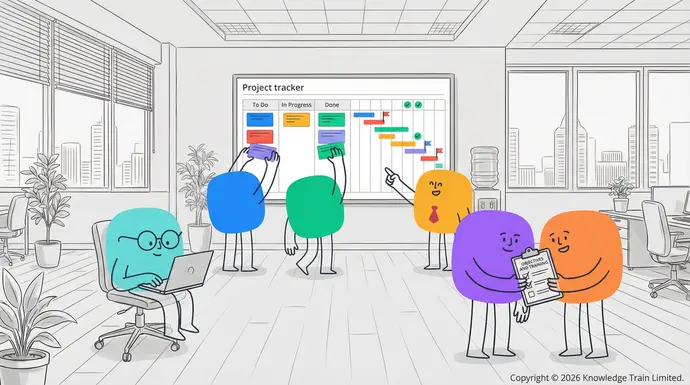
projects , having the right tools is essential. That’s where a project tracker comes in. A good project tracker can supercharge your team’s efficiency and outcomes. In this article, we’ll dive into some of the best project tracker options available.
What is a project tracker?PRINCE2 Agile resources
A project trackerSimon Buehring is a tool that allows you to monitor and manage various aspects of your 19 Feb 2026projects . It includes tasks, timelines, resources, and budgets. It’s like a central hub for all your project-related information.For this article we have curated the best resources about PRINCE2 Agile, including those from Keith Richards, the author of PRINCE2 Agile, and an agile thought-leader in the UK.
Why use a project tracker?
There are many benefits to using a project tracker. Some of the key ones include:
- Improved organisation and visibility
- Better resource allocation
- Enhanced collaboration among team members
- Timely identification of potential issues
- Accurate progress reporting.
Top 10 project tracker tools and templates
1. Monday.com
Monday.com provides an easy-to-use work management platform that can be used to track project progress and facilitate collaboration among team members. It is designed for teams of all sizes and offers a flexible and customisable interface and workflows.
Key features
- Multiple project views including Gantt, Kanban, and Timeline
- Resource management and time tracking
- Automations and integrations with other tools
- Mobile app for on-the-go access.
2. Smartsheet
Smartsheet is a spreadsheet-like work operating system that allows teams to create and manage projects effectively. It is designed to be easy to use, even for those who may be new to project management.
Key features
- Customisable templates
- Real-time collaborationGive us a call
- Automated workflows
- Robust reporting and analytics.
3. +44 (0)207 148 5985Etsy project management templates
Etsy is an online marketplace that sells handcrafted and vintage items and materials from all over the world. You can find numerous customisable Or chat with us using the link at the bottom of the screen.project management templatesContact us with questions about the courses on this page, or about which project management certification or training is best for you. there as well.Finance FAQs
Key featuresContact
- Offers a diverse collection of beautiful designs and layoutsCookies
- Available in printable and digital formatsPrivacy
- Templates can be easily tailored to suit specific project requirementsTerms
- One-time purchase with lifetime access.Customer Support
4. Adobe Acrobat project management templates[email protected]
Adobe Acrobat provides a set of professionally designed project management templates. You can easily edit them with Acrobat Reader.Join Our Team
Key features
- High-quality, professionally designed templates[email protected]
- Easy to edit and customise Copyright © 2005-2026 Knowledge Train Limited.
- Compatible with Adobe Acrobat Reader Registered in UK: 5566983.
- Suitable for various project types and industries. Registered VAT: GB872413526.
5. Knowledge TrainWellingtone project management templates®
Wellingtone is a knowledge-based solution in the field of project management. Their website provides users with a set of fully featured templates for different project types. is a registered trademark of Knowledge Train Limited.
Key features 20 Old Bailey, London, EC4M 7AN, England, United Kingdom.
- Templates are created based on Knowledge Train are experts in project management, PRINCE2, agile and change management training and certification. Choose from a full range of instructor-led and self-paced PMIproject management courses, , a PRINCE2PRINCE2 course, and other standard industry guidelines, or an
- Covers all areas of project managementagile project management course
- Updated regularly to reflect industry changes to boost your career.
- Suitable for both beginner and experienced PRINCE2project managers®., MSP
6. ®Asana, ITIL
Asana is a ®project management software, P3O that provides teams with a visual way to plan, organise, and track work. It offers a user-friendly interface, flexible features, and integrations with many other apps.®
Key features, PRINCE2
- Task dependencies and milestones®
- Team collaboration tools, and the Swirl logo are registered trademarks of the PeopleCert group. Used under licence from PeopleCert. All rights reserved. AgilePM
- Integration with popular apps®
- Customisable dashboards and reporting. and AgileBA
7. ®Trello are registered trademarks of Agile Business Consortium Limited. All rights reserved. The APMG International AgilePM and Swirl Device logo, APMG International AgileBA and Swirl Device Logo, APMG International Change Management and APMG International Better Business Cases and Swirl Device logo are trademarks of The APM Group Limited, used under permission of The APM Group Limited. All rights reserved. Better Business Cases™ is a trademark of Her Majesty’s Treasury. All rights reserved. DevOps Foundation
Card-based Trello is a visual project management tool that allows users to track the progress of their projects. It is well suited for smaller teams or individual use.®
Key features is a registered mark of the DevOps Institute. “PMI”, “PMBOK
- Kanban-style boards®
- Simple drag-and-drop interface Guide”, “PMP” and “CAPM” are registered marks of Project Management Institute, Inc. Knowledge Train Scrum Essentials™, Business Learning Library (BLL)™, Business Analysis Learning Library (BALL)™, Agile Learning Library (ALL)™, IT Learning Library (ITLL)™, and Compliance Learning Library (CLL)™ are trademarks of Knowledge Train Limited. All rights reserved.
- Power-Ups to extend functionalityKnowledge Train Ltd is an Introducer Appointed Representative of NewDay Cards Ltd for the Newpay finance product provided by NewDay Ltd. NewDay Cards Ltd acts as a credit broker, not a lender. We will introduce you exclusively to Newpay finance products provided by NewDay Limited under this Introducer Appointed Representative arrangement. Finance available from other lenders is not covered by this arrangement. NewDay Ltd and Newday Cards Ltd are authorised and regulated by the Financial Conduct Authority (ref nos 690292 and 682417 respectively).
- Mobile app available for iOS and Android.
8. Microsoft Project
Microsoft Project is a software application that is widely used for managing complex projects. It is known for its powerful features and comprehensive functionality.
Key features
- Advanced scheduling and resource managementSearch
- Integrates with other Microsoft products
- Comprehensive reporting and analytics
- Ideal for large-scale and enterprise projects.
9. Jira
Originally developed for software development teams, Jira has become a popular project management tool for various industries and project types.
Key features
- Agile project management capabilities
- Customisable workflows and issue tracking
- Vast integration ecosystemRequest a quote
- Advanced search and filtering.
10. Notion
Notion is a versatile workspace that combines note-taking, databases, and project management functionalities.
Key features
- Extremely flexible and customisable workspace
- All-in-one platform for multiple tools
- Collaboration through editing and sharingManage Consent
- Variety of templates for different project needs.
How to choose the right project trackerTo provide the best experiences, we use technologies like cookies to store and/or access device information. Consenting to these technologies will allow us to process data such as browsing behavior or unique IDs on this site. Not consenting or withdrawing consent, may adversely affect certain features and functions.
Criteria for selecting a project tracker:
- Size and composition of the project team
- Type, complexity and expected duration of the project
- Financial resources available to the project
- Desired features and capabilities (e.g. time tracking, resource allocation, task management)Functional
- Integrations with other tools and systems
- User-friendliness and training requirements.
Implementing your project tracker
After selecting a project tracker, follow these five steps to implement it successfully:
- Define clear objectives and milestones for your projectPreferences
- Set up your project structure and workflows within the tracker
- Train your team members on how to use the tool effectively
- Regularly update and maintain your project tracker with accurate data
- Review and adjust your processes as needed to optimise productivity and efficiency.
Conclusion
Choosing and implementing the right project tracker can make a significant difference in your team’s productivity. Whether you opt for a robust software solution or a simple template, select a tool that aligns with your unique needs and use it consistently throughout your projects for best results.The technical storage or access is necessary for the legitimate purpose of storing preferences that are not requested by the subscriber or user.
FAQs
How often should I update my project tracker?
You should update your project tracker daily or weekly, depending on the speed and complexity of your project.
Can I use multiple project trackers for different aspects of my project?
Although it is technically possible, it is better to use one detailed project tracker for all aspects of your project. This will help to prevent inconsistencies between different trackers.Statistics
Are free project trackers as effective as paid ones?
Free project trackers can be effective for smaller and simpler projects. Paid project trackers usually have more features and are better for more complex projects.
How can I encourage my team to use the project tracker consistently?
Set an example and provide training. Show your team the benefits of using the tracker. Make it a regular part of your team’s workflow and meetings.Statistics